
New Cohort Summer 2026 Tech Internships are now open! Limited seats available.
Home Courses Mobile App Development
Computer Science

Mobile App Development

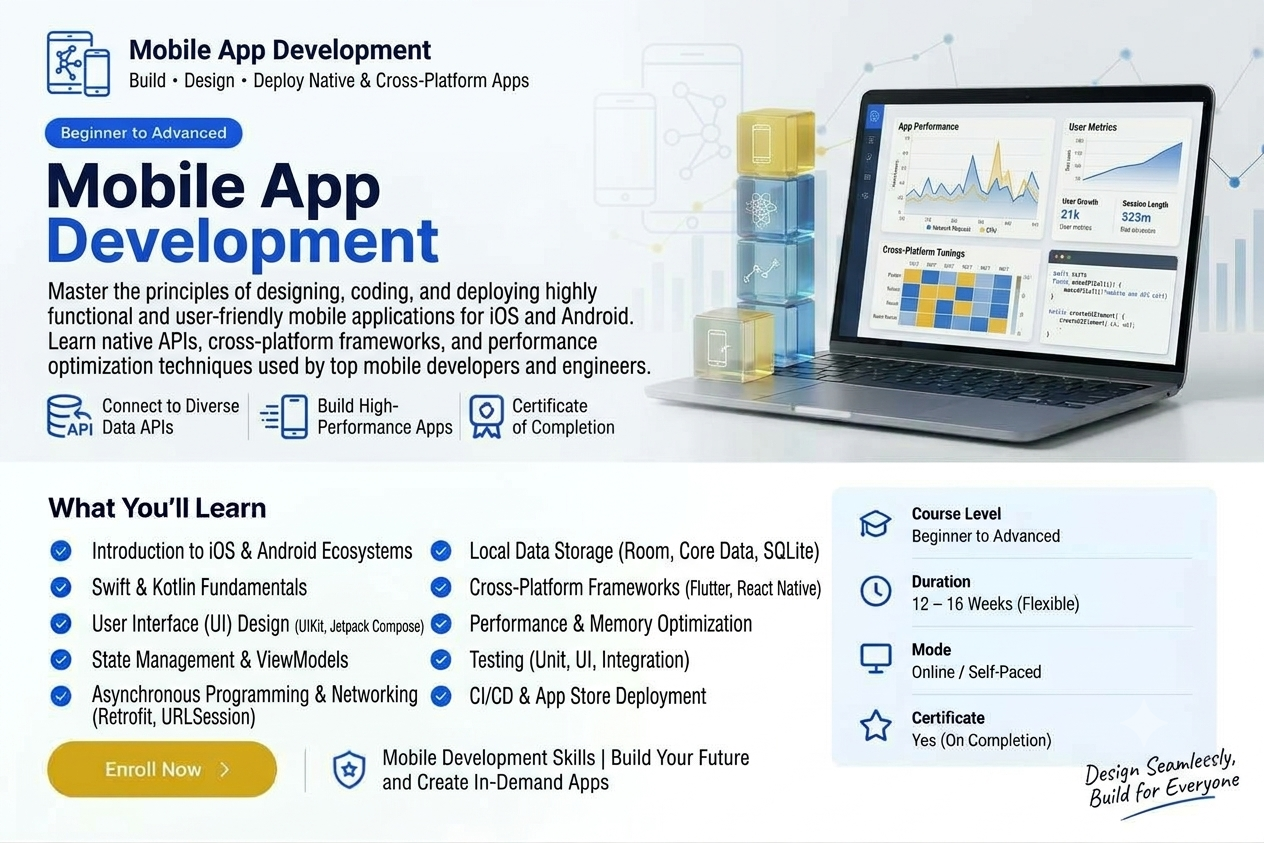
The process of developing mobile applications includes designing, coding, testing and deployment of applications on mobile application platforms such as iOS or Android. This could include development of native applications for one particular platform or development of cross-platform applications which can run on multiple platforms through one common code base.
20 Chapters
148 Lessons
beginner
Mobile App Development

Course Overview

Mobile application development is the process of making software for smartphones, tablets and digital assistants. Mobile Application Development imparts knowledge and skill on the creation of functional applications for mobile devices right from scratch.

  • Central Themes: Study of mobile operating system environments (Android and iOS) and the concept of creating applications.
  • User Interface Design: Knowledge of designing user interfaces.
  • Programming Languages & Tools: Practical experience on programming languages (Kotlin, Swift, or Dart) and tools like Android Studio or Flutter.
  • Backend & Data: Learn about connecting applications to databases, cloud, and APIs (Firebase and Supabase).
  • Testing and Publishing Applications: Knowledge of debugging and testing as well as publishing process to Google Play Store and Apple App Store.

Course Key Information

Course Duration

Self Paced

Difficulty Level

Beginner

Eligibility

Open to school students, college undergraduates, and career switchers. No prior coding required.

What You Will Learn

Responsive HTML5 & Tailwind CSS UI
Modern JavaScript (ES6+), Async/Await & Promises
React.js Components, State, Hooks & Router
Node.js & Express REST API Server Architecture
MongoDB Schema Design & Mongoose ORM
Git/GitHub Workflows & Vercel Deployment

Technologies Covered

HTML5CSS3JavaScriptReactNode.jsExpressMongoDBTailwind CSSGit

Tools & Platforms Used:

VS CodePostmanGitHubMongoDB CompassVercelRender

Lesson Plans & Curriculum

All chapters and lessons are publicly accessible.

20 Chapters

Chapter 1 — Evolution & Ecosystem of Mobile Technology

8 Lessons • Introduction to mobile application development

Lesson 1.1: History and Progression of Mobile Computing
Lesson 1.2: Evolution of Mobile Generations (1G to 5G & Beyond)
Lesson 1.3: The Modern Mobile Ecosystem: Hardware, OS, and Market Trends
Lesson 1.4: Native vs. Cross-Platform vs. Hybrid vs. Web Applications
Lesson 1.5: Mobile Information Architecture Concepts
Lesson 1.6: Hardware Constraints and System Optimization in Mobile Devices
Lesson 1.7: Mobile Security and Permission Models Overview
Lesson 1.8: Industry Standard Design Principles for Mobile Experiences

Chapter 2 — Android Platform and System Architecture

7 Lessons • Understanding mobile application architecture

Lesson 2.1: Introduction to the Android Ecosystem and Version History
Lesson 2.2: Android Platform Architecture Layers (Linux Kernel, HAL, Native Libraries)
Lesson 2.3: Android Runtime (ART) vs. Legacy Dalvik Virtual Machine
Lesson 2.4: Application Framework Layer and Core System Services
Lesson 2.5: Modern Android Development (MAD) Concepts & Standard Libraries
Lesson 2.6: Key Differences Between Stock Android, Vendor Forks, and Custom ROMs
Lesson 2.7: Security Architecture: App Sandboxing and SELinux in Android

Chapter 3 — Development Environment & Tooling Setup

7 Lessons • Setting up the mobile application development environment

Lesson 3.2: Installing and Configuring the Android SDK Tools & Command-Line Tools
Lesson 3.3: Setting Up Android Studio IDE vs. Historical Toolchains (Eclipse & ADT Plugin)
Lesson 3.4: Configuring Build Automation Tools (Gradle Build Scripts & Dependencies)
Lesson 3.5: Creating and Configuring Android Virtual Devices (AVD / Emulators)
Lesson 3.6: Enabling Developer Mode and USB Debugging on Physical Devices
Lesson 3.7: Inspection Tools: Profilers, Logcat Debugging, and Device File Explorer
Lesson 3.8: Managing Version Control (Git Integration) inside Android Studio

Chapter 4 — First App Creation & Application Anatomy

8 Lessons • Designing mobile application interfaces and layouts

Lesson 4.1: Creating Your First "Hello World" Android Application
Lesson 4.2: Directory and File Structure Analysis of an Android Project
Lesson 4.3: Deep Dive into AndroidManifest.xml (Permissions, Components, Targets)
Lesson 4.4: Understanding Resource Files (res/values, res/drawable, res/layout)
Lesson 4.5: The Role of Gradle Configurations (build.gradle.kts / Groovy)
Lesson 4.6: Compiling, Packaging, and Deploying Apps onto USB-Connected Hardware
Lesson 4.7: Fundamental Building Blocks: Core Application Components Overview
Lesson 4.8: Troubleshooting Launch Errors and Initial Build Failures

Chapter 5 — Fundamentals of Android Activities & Life Cycle

8 Lessons • Screens, activities and navigation in mobile apps

Lesson 5.1: Understanding the Activity Component and Application Entry Points
Lesson 5.2: The Complete Activity Life Cycle (onCreate to onDestroy)
Lesson 5.3: Handling State Preservation (onSaveInstanceState, onRestoreInstanceState)
Lesson 5.4: Activity Launch Modes (Standard, SingleTop, SingleTask, SingleInstance)
Lesson 5.5: Intent Objects: Intent Architecture and Capabilities
Lesson 5.6: Explicit Intents: Linking Activities and Passing Key-Value Data
Lesson 5.7: Implicit Intents: Requesting System/External Capabilities
Lesson 5.8: Inter-Process Communication (IPC) Concepts using Intents

Chapter 6 — User Interface Structure & Layout Managers

8 Lessons • Handling user input and mobile forms

Lesson 6.1: Views, ViewGroups, and the UI Hierarchy Tree
Lesson 6.2: Linear Layout: Weighting, Gravity, and Orientation Alignment
Lesson 6.3: Relative Layout and Rule-Based UI Alignment
Lesson 6.4: Modern Layout Design using ConstraintLayout
Lesson 6.5: Frame Layout and Grid Layout Configuration
Lesson 6.6: XML UI Markup vs. Programmatic View Creation
Lesson 6.7: Adapting Layouts to Display Orientations (Portrait vs. Landscape)
Lesson 6.8: Supporting Multiple Screen Sizes, Resolutions, and Density Pixels (dp/sp)

Chapter 7 — Basic UI Controls & Interactive Widgets

8 Lessons • Storing data locally in mobile applications

Lesson 7.1: Displaying Text: TextView Customization, Formatting, and Spans
Lesson 7.2: User Triggers: Button, ImageButton, and ToggleButton Implementation
Lesson 7.3: Displaying Feedback: Toast Messages and Custom SnackBar Alerts
Lesson 7.4: Multi-Selection Inputs: CheckBox Controls
Lesson 7.5: Single-Selection Inputs: RadioGroup and RadioButton Handling
Lesson 7.6: Selection Menus: Spinner Widget Integration
Lesson 7.7: Progress Indicators: ProgressBar (Determinate and Indeterminate)
Lesson 7.8: Displaying Time and Date: Analog & Digital Clocks, DatePicker, TimePicker

Chapter 8 — Advanced Views, Lists & Navigation Architecture

8 Lessons • Using APIs and internet connectivity in mobile apps

Lesson 8.1: Displaying Embedded Web Content: WebView Integration and Security
Lesson 8.2: Image Rendering with ImageView and ImageSwitcher Control
Lesson 8.3: Scroll Views: ScrollView and HorizontalScrollView Controls
Lesson 8.4: Legacy Data Collections: ListView and ArrayAdapter Integration
Lesson 8.5: Modern Dynamic Lists: RecyclerView, ViewHolders, and LayoutManagers
Lesson 8.6: Action Bar Architecture and Toolbars
Lesson 8.7: App Menus: Option Menus, Context Menus, and Popup Menus
Lesson 8.8: Tab Navigation, ViewPager, and Drawer Navigation Patterns

Chapter 9 — Modular UI Development using Fragments

7 Lessons • Authentication and mobile push notifications

Lesson 9.1: Introduction to Fragments and Multi-Pane UI Architectures
Lesson 9.2: Fragment Life Cycle and Relationship with Host Activity
Lesson 9.3: Adding Fragments Programmatically and via XML Layouts
Lesson 9.4: Managing Fragment Transactions via FragmentManager
Lesson 9.5: Data Exchange & Communication Patterns Between Fragments
Lesson 9.6: Utilizing Specialized Fragments: ListFragment and DialogFragment
Lesson 9.7: Supporting Responsive Tablet and Phone Screen Layouts with Fragments

Chapter 10 — Dialogs, Events & User Input Forms

7 Lessons • Building and deploying a mobile application project

Lesson 10.1: Capturing Text Input: EditText Configuration and Input Types
Lesson 10.2: Form Validation Techniques and Error State Handling
Lesson 10.3: Event Handling Mechanisms: OnClickListener, OnTouchListener, OnKeyListener
Lesson 10.4: Prompting Users: AlertDialog Design and Custom Layout Dialogs
Lesson 10.5: Custom Toast Layouts and User Feedback UX Patterns
Lesson 10.6: Touch Events, Gestures, and Drag-and-Drop Operations
Lesson 10.7: Accessibility Features in Forms (Screen Readers and Content Descriptions)

Chapter 11 — Modern Jetpack Components & MVVM Architecture

7 Lessons • <p>Modern Jetpack Components &amp; MVVM Architecture</p>

Lesson 11.1: Overview of Android Jetpack Architecture Components
Lesson 11.2: Separation of Concerns: Understanding Model-View-ViewModel (MVVM)
Lesson 11.3: Managing Data with ViewModel and Preserving State Across Configuration Changes
Lesson 11.4: Reactive Programming: LiveData and StateFlow Principles
Lesson 11.5: Data Binding and View Binding Frameworks
Lesson 11.6: Navigation Component: NavGraph, NavController, and SafeArgs
Lesson 11.7: Modern Declarative UI Overview: Jetpack Compose Fundamentals

Chapter 12 — Local Storage: Preferences, Files & Shared Data

7 Lessons • <p>Local Storage: Preferences, Files &amp; Shared Data</p>

Lesson 12.1: Overview of Android Data Storage Paradigms
Lesson 12.2: Storing Key-Value Pairs: SharedPreferences & EncryptedSharedPreferences
Lesson 12.3: Internal Storage: Reading and Writing Private Application Files
Lesson 12.4: External Storage: Managing Public and Scoped Storage Directories
Lesson 12.5: Storage Access Framework (SAF) and Document Providers
Lesson 12.6: Sharing Data Across Applications: Content Provider Architecture
Lesson 12.7: Accessing Native System Content Providers (Contacts, MediaStore)

Chapter 13 — Relational Databases: SQLite & Room Persistence

7 Lessons • <p>Relational Databases: SQLite &amp; Room Persistence</p>

Lesson 13.1: Introduction to Embedded Databases and SQLite Architecture
Lesson 13.2: Creating Databases with SQLiteOpenHelper Framework
Lesson 13.3: Performing Data Operations: Insert, Update, and Delete in SQLite
Lesson 13.4: Querying and Reading Data: SQLite Cursors and Data Extraction
Lesson 13.5: Introduction to Room ORM Library (Entities, DAOs, Database Instance)
Lesson 13.6: Executing Asynchronous Database Operations with Coroutines / Threads
Lesson 13.7: Database Migrations and Schema Version Control

Chapter 14 — APIs, Networking & Remote Data Fetching

8 Lessons • <p>APIs, Networking &amp; Remote Data Fetching</p>

Lesson 14.1: Fundamentals of Mobile Network Communication (HTTP/REST APIs)
Lesson 14.2: Declaring Network Permissions and Handling Network State
Lesson 14.3: Parsing Structured Formats: JSON and XML Data Streams
Lesson 14.4: HTTP Clients: Performing Network Operations via HttpURLConnection
Lesson 14.5: Robust Networking with Modern Libraries (Retrofit and Volley)
Lesson 14.6: Asynchronous Data Handling: Background Threads, Coroutines, and Callbacks
Lesson 14.7: Caching Remote Data and Offline-First Synchronization Strategies
Lesson 14.8: Image Loading and Caching Libraries (Glide / Coil)

Chapter 15 — Background Processing, Services & Alarms

7 Lessons • <p>Background Processing, Services &amp; Alarms</p>

Lesson 15.1: Android Multithreading: Main Thread Rules vs. Background Execution
Lesson 15.2: Android Services: Foreground, Background, and Bound Services
Lesson 15.3: Service Lifecycle and Execution Controls
Lesson 15.4: Scheduling Recurring Tasks: AlarmManager Implementation
Lesson 15.5: Modern Deferred Background Processing using WorkManager
Lesson 15.6: JobScheduler and Network-Aware Background Tasks
Lesson 15.7: Optimizing Background Execution for Battery Saver and Doze Mode

Chapter 16 — Multimedia, Camera & Audio Programming

7 Lessons • <p>Multimedia, Camera &amp; Audio Programming</p>

Lesson 16.1: Audio Playback using MediaPlayer Framework
Lesson 16.2: Recording Audio via MediaRecorder API
Lesson 16.3: Capturing Images using System Camera Intents
Lesson 16.4: Custom Camera Integration using CameraX Library
Lesson 16.5: Recording and Playing Video Content
Lesson 16.6: Handling Media Permissions, Runtime Grants, and Storage Access
Lesson 16.7: Managing Audio Focus and External Hardware Controls

Chapter 17 — Telephony, Device Sensors & Location Services

7 Lessons • <p>Telephony, Device Sensors &amp; Location Services</p>

Lesson 17.1: Hardware Access: TelephonyManager Capabilities and Network Information
Lesson 17.2: Managing Calls, SMS Dispatch, and Email Integration
Lesson 17.3: Sensor Framework: Accessing Device Accelerometer, Gyroscope, and Light Sensors
Lesson 17.4: Location-Based Services: GPS Provider and Fused Location Provider
Lesson 17.5: Mapping Integration: Displaying Maps via Google Maps SDK
Lesson 17.6: Geocoding and Reverse Geocoding Services
Lesson 17.7: Bluetooth & BLE (Bluetooth Low Energy) Device Integration Basics

Chapter 18 — User Authentication & Push Notifications

7 Lessons • <p>User Authentication &amp; Push Notifications</p>

Lesson 18.1: User Authentication Patterns (Email/Password, Social Auth, OAuth2)
Lesson 18.2: Implementing Secure Token Management and Encrypted Data Storage
Lesson 18.3: Biometric Authentication Integration (Fingerprint & Face Unlock APIs)
Lesson 18.4: Android Notifications Framework: Notification Channels and Badges
Lesson 18.5: Building and Displaying Local Notifications
Lesson 18.6: Push Notification Architecture: Firebase Cloud Messaging (FCM) Integration
Lesson 18.7: Handling Notification Payloads and Deep Linking into App Activities

Chapter 19 — App Security, Performance Tuning & Testing

7 Lessons • <p>App Security, Performance Tuning &amp; Testing</p>

Lesson 19.1: Mobile Security Best Practices & OWASP Mobile Top 10
Lesson 19.2: Runtime Permission Requests & Privacy Safeguards
Lesson 19.3: Automated Unit Testing with JUnit and Mockito
Lesson 19.4: Instrumented UI Testing using Espresso Framework
Lesson 19.5: Performance Profiling: Memory Leak Detection (LeakCanary), CPU, and Network
Lesson 19.6: App Size Optimization: ProGuard, R8 Rules, and Resource Shrinking
Lesson 19.7: Code Obfuscation and Reverse Engineering Protection

Chapter 20 — Capstone Project & Store Deployment

8 Lessons • <p>Capstone Project &amp; Store Deployment</p>

Lesson 20.1: Capstone Project Setup: Architecture Design, System Requirements, and Wireframing
Lesson 20.2: Implementing End-to-End Features: Database, API, and Navigation Integration
Lesson 20.3: UI Polish, Accessibility Audit, and Internationalization (Multi-Language Support)
Lesson 20.4: Preparing App Resources: App Icons, Splash Screens, and Assets
Lesson 20.5: Generating App Signing Keys & Building Release Android App Bundles (AAB / APK)
Lesson 20.6: Google Play Console Setup: Merchant Accounts, Store Listings, and Screenshots
Lesson 20.7: Target SDK Compliance, Privacy Policy, and Data Safety Declarations
Lesson 20.8: App Deployment, Internal Testing, Beta Distribution, and Staged Rollout
Final ChapterProject & Certification

Complete Your Project & Get Certified

Complete the final project, upload your work, apply for evaluation, and receive your certificate after approval.

1. Upload Your Project

Submit your completed project.

2. Apply

Apply for evaluation and certification.

3. Get Certificate

Receive your certificate after approval.

Course Completion Certificate

Shareable digital credential upon course completion

Complete the course requirements to receive your course completion certificate.

Free Course

Start for Free

Access this course for free.

What's Included in this Course:

  • 20 Course Chapters
  • 148 Lessons
  • Interactive Lesson Exercises & Notes
  • Official Verified Digital Certificate
  • Lifetime Access to All Course Materials